Creating a Signal Bot
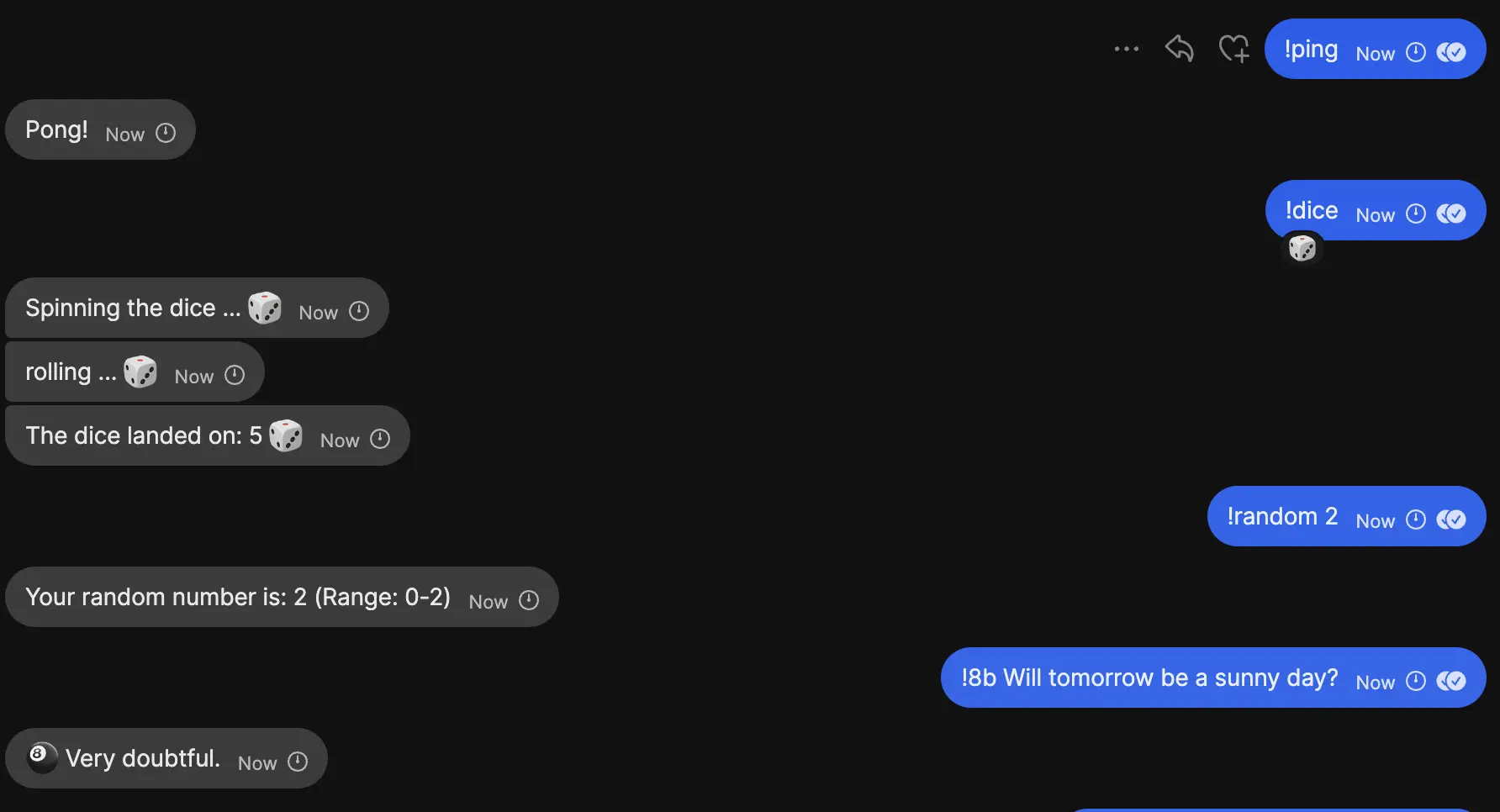
Why you want this? You can create a useful bot for chat groups, adding commands like wheater, wikipedia, reminders or something group specific. And then you don’t always have to leave signal, but can just get the info you want directly in the chat. This is pretty cool if you need sth during a conversation ;)
If you run into any issues, just write me on mastodon or a mail, I’ll gladly help and make the post more comprehensive
#Preperations
first off you need signal-cli installed
#Getting a new Signal Account
Number
-> you need a phone number for this, so you can register a signal account on it
but you can also just go to SMSPool or whatever site and get the registration code there and done. I did this, it cost ~13ct …, ig its affordable xD
Registration
signal-cli -a +49111111111111 registerjust replace the number with the one you want to use for the new signal account / the one you bought for receiving it.
btw its normal if the tool doesnt output anything after running, this means it was successful.
If you run into the ‘Captcha Error’ expand
It might be that you run into an error saying sth about captcha,
there is a link in it. click it and solve the captcha, then it wants to open your signal app. DON’T! Just click it away, then right click on the open app button, and copy the link.
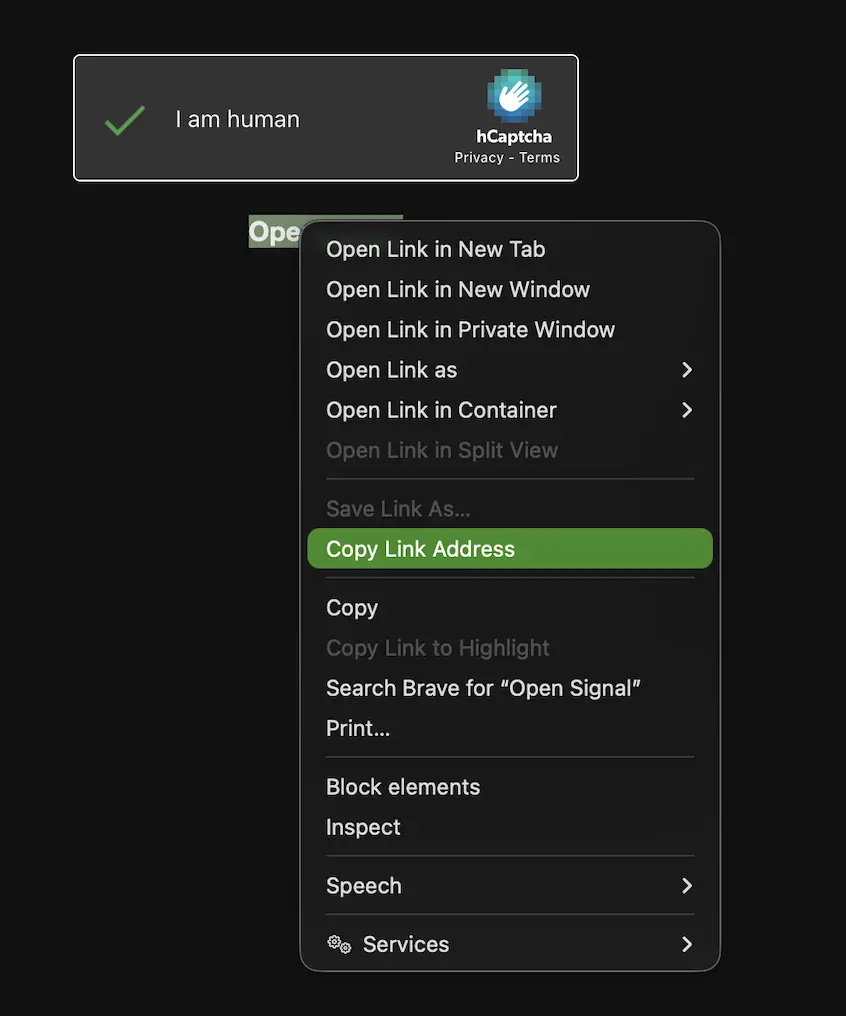
Next run:
signal-cli -a +49111111111111 register --captcha <link you copied>
signal-cli -a +49111111111111 verify 123-456here run this command with your number and the code you just received. Here again, if successful, don’t expect any output
Test
now you should be able to send signal messages via the command line.
signal-cli -a +49111111111111 send -m "This is a message" <Your Actual Signal Number>here replace it again. and add your main signal number, for a test message. You should now get a new message request from your other number
#Setting your own Rest-API Up
I’m using the project: signal-cli-rest-api, which can be easily deployed via podman (or docker).
You can use the following docker compose, its already slightly modified from the docs there, to use json (as the bot lib I’m using needs it)
version: "3"
services:
  signal-cli-rest-api:
    image: bbernhard/signal-cli-rest-api:latest
    environment:
      - MODE=json-rpc-native
    ports:
      - "8080:8080"
    volumes:
      - "/.local/share/signal-cli:/home/.local/share/signal-cli"
Modify it if required
The data from signal-cli is stored in either:
$XDG_DATA_HOME/signal-cli/ or $HOME/.local/share/signal-cli/
If it’s the later, just keep it as it is in the provided docker-compose file
Running & Testing
You can run it now via podman-compose up -d
Then you can go to http://localhost:8080/v1/accounts and check if your bots number is listed there, if yes, everything is right. Congrats :)
Note: here is the API Doc, you don’t really need to manually interact it if you follow this guide, but maybe you want to write your own library or have other reasons you want to interact directly with the api
#The Bot
I choose signalbot as the library for the bot. For this lets create a virtual env in python and add the lib.
uv venv .
uv pip install python-dotenv
uv pip install signalbot
Then you should create a .env file:
SIGNAL_SERVICE="127.0.0.1:8080" # <-- keep it
PHONE_NUMBER="+491111111111"  # <---- your bot's number
next you can run the minimal bot example:
import os
import logging
from signalbot import (
    Command,
    Config,
    Context,
    SignalBot,
    triggered,
    enable_console_logging,
)
from dotenv import load_dotenv

load_dotenv()

class PingCommand(Command):
    @triggered("!ping")
    async def handle(self, context: Context) -> None:
        await context.send("Pong!")


if __name__ == "__main__":
    enable_console_logging(logging.INFO)

    bot = SignalBot(
        Config(
            signal_service=os.environ["SIGNAL_SERVICE"],
            phone_number=os.environ["PHONE_NUMBER"],
        )
    )
    bot.register(PingCommand())
    bot.start()
Test
Now if you go to signal and write your bot number !ping,

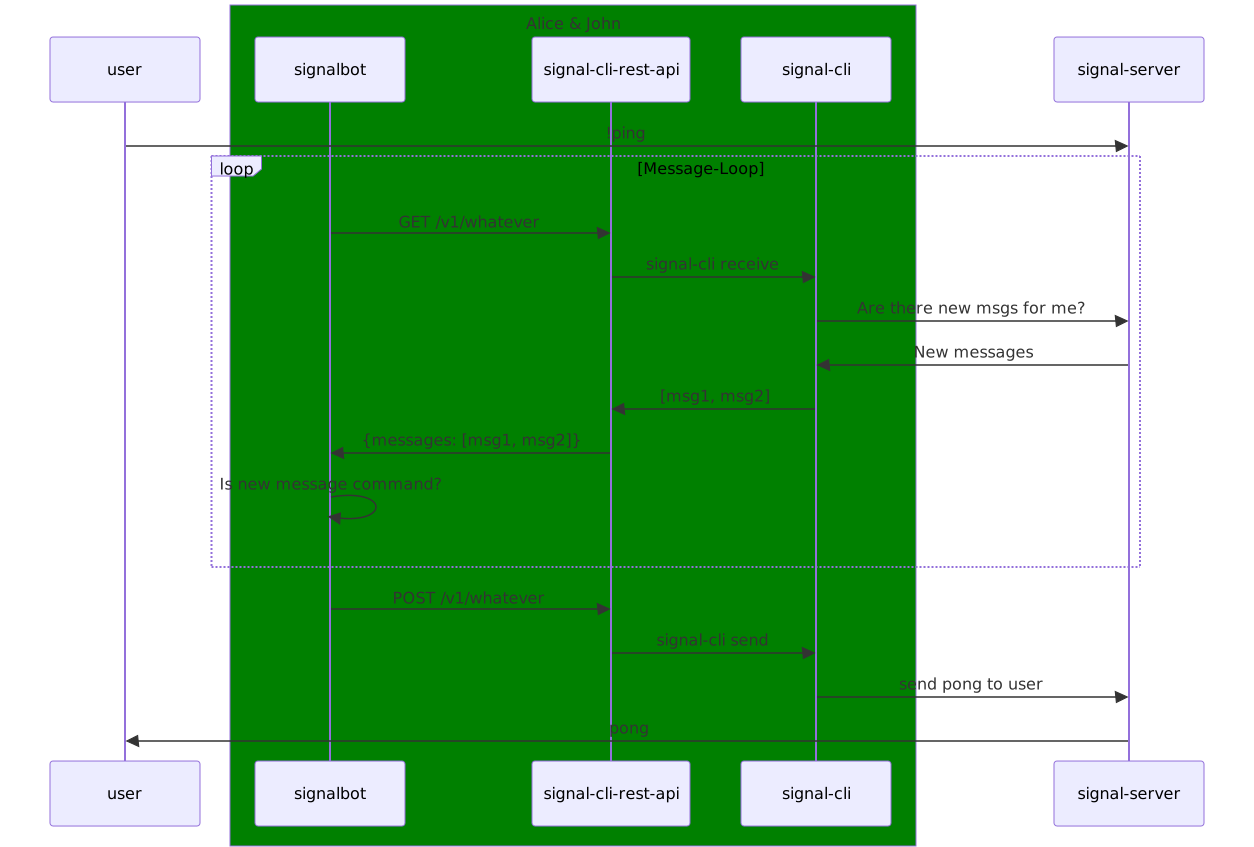
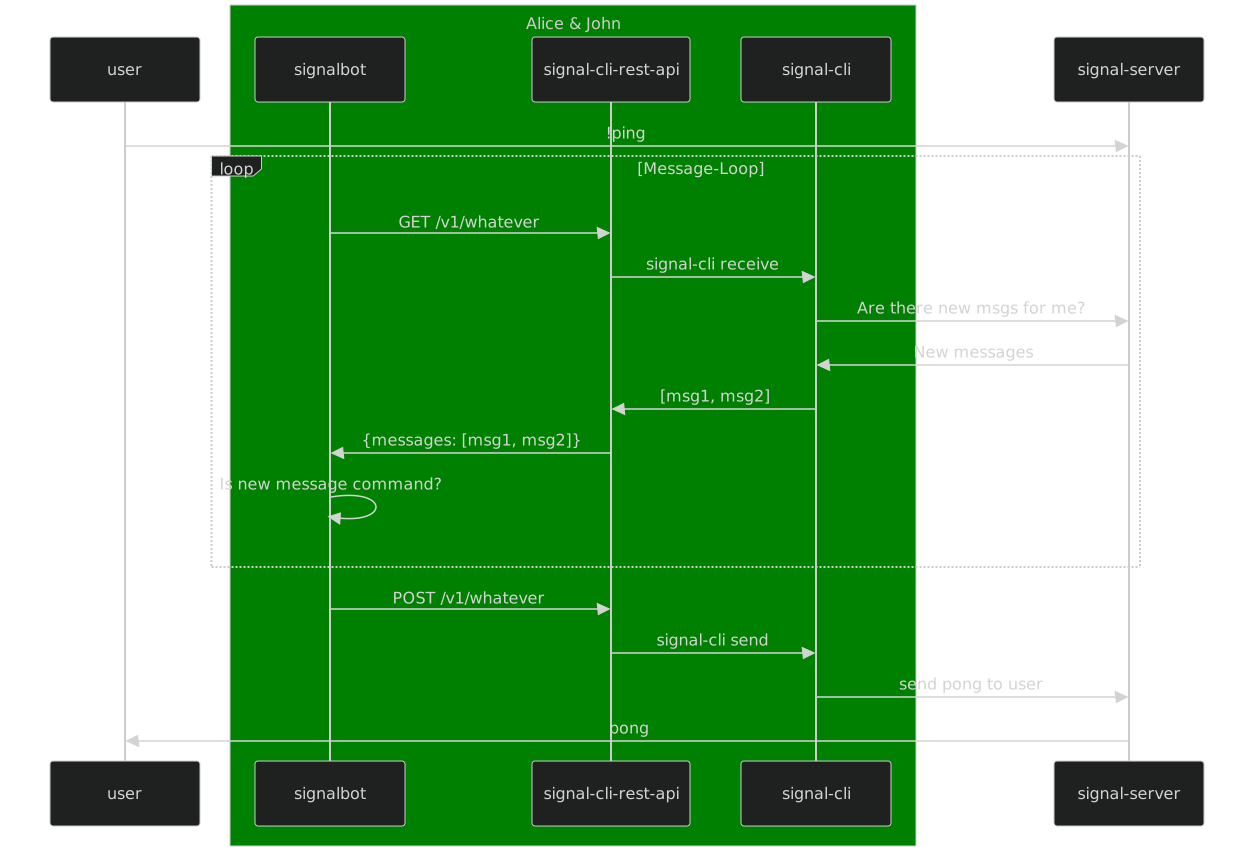
#Relationship between the Services
#What’s next?
You can easily add more commands to your bot
Read the signalbot docs, to see what the lib provides.
If you want a follow up with some command ideas etc. Just write me on Mastodon or so, and I’ll make an article.
Have fun ;)
686 Words
2026-07-08 17:58 (Last updated: 2026-10-18 16:37)
ba4175d @ 2026-10-18