Setup Your Own Forgejo Runner on Nixos
this article is the follow up of Host your own Github
a runner is basically the thing that exercutes the ci workflows you configure e.g. for running tests, like lets say you have a rust project and want each time you push, that it runs e.g. cargo fmt --check
#Config
so the first step is adding a runner in your config via: (change the url once again to point to your real forgejo instance)
virtualisation.podman.enable = true;

  services.gitea-actions-runner = {
    package = pkgs.forgejo-runner;
    instances.default = {
      enable = true;
      name = "runner-1";
      # you need to generate this token in forgejo, I'm currently still looking how this could be automated maybe
      tokenFile = "/etc/forgejoRunnerToken";
      url = "https://git.catq.de/";
      labels = [
        "node-26:docker://docker.io/node:26"
        "rust:docker://docker.io/rust:latest"
      ];
      settings = {
        runner = {
          capacity = 1;
        };
      };
    };
  };
also depending on your server capability, you can change the capacity here, it controls how many workflows can run in parallel, since I use my instance only myself, and ususally only work on one project at a time / don’t mind waiting, I set it to 1.
the labels are basically just the images you want to run, they use the docker compatibility layer for podman in the end apparently, and it should be your-intern-label:docker://docker-label, where you can then use your intern label inside you ci workflows.
#Get the runner token
for this open your forgejo dashboard and head to the admin page, in my case: https://git.catq.de/admin, just change it here to match your own domain once again. In the left menu head to Actions > Runners
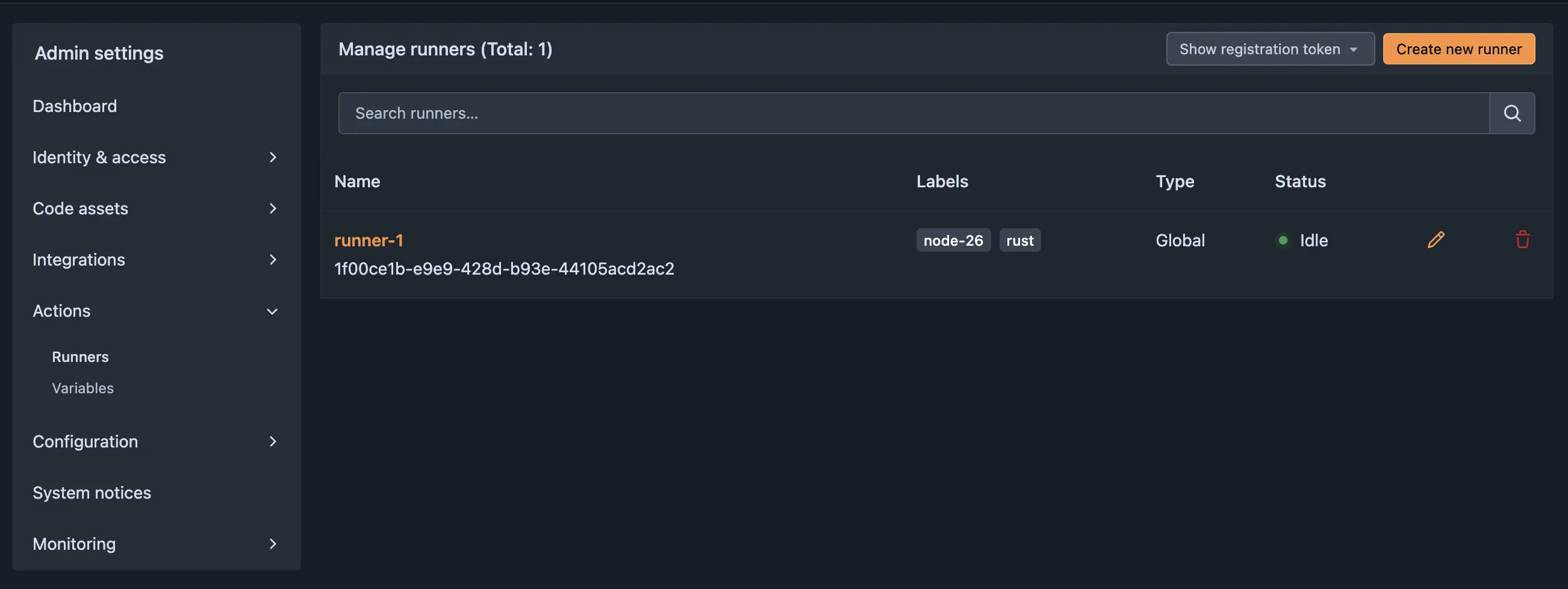
Here you click on Show registration token, we need that method since the nixos option still expects this token instead of the new format.
then go into your server and write the file:
TOKEN={your_token}where you replace {your_token} with the thing you just copied.
then set the permissions tigher, I’m not sure if the forgejo user even needs to be allowed to have read access, but for now I set it:
sudo chmod 600 /etc/forgejoRunnerToken
sudo chown forgejo /etc/forgejoRunnerToken
Now you can rebuild the config sudo nixos-rebuild switch --flake <path to your flake#host>
If you head back to your forgejo instance, you should now see your very own runner
#Adding a CI Workflow to a project
Now you can head into a random rust project of your choice and add
name: tests

on:
  push:
  pull_request:

jobs:
  test:
    runs-on: rust

    steps:
      - name: Checkout
        run: git clone "$GITHUB_SERVER_URL/$GITHUB_REPOSITORY.git" .

      - name: Check formatting
        run: cargo fmt --check

      - name: Clippy
        run: cargo clippy --all-targets --all-features -- -D warnings

      - name: Test
        run: cargo test --all-features
you might need to modify this to your needs
(also this template in that form wasn’t tested by me, so not sure if it works, I tested it after creating my own image, see below)
#You custom images
also I recommend you create your own podman images via build that include the dependencies you want i.e. create on the server a docker file & build it:
FROM docker.io/rust:alpine

RUN apk add --no-cache git \
  && rustup component add clippy rustfmt \
  && cargo install cargo-audit

WORKDIR /workspace
podman build -t forgejo-rust:alpine .
then modify in your config the labels to
labels = [
  "rust:docker://forgejo-rust:alpine"
];
(then you need to obviously rebuild nixos)
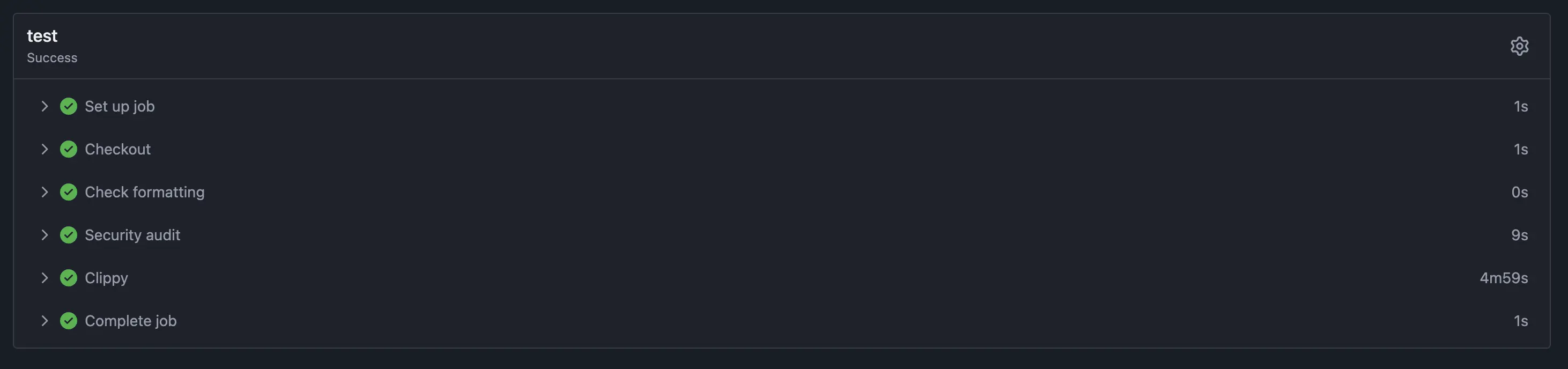
and you’ll have instead of the default rust image one that is based on alpine and has cargo audit available, so you could use this now in your pipeline
#More considerations
- You might want to consider using agenix or sopsnix etc. for your runner token instead of just dumping it into a file.
- Additionally maybe you can figure out how to let the runner directly connect to your forgejo instance, instead of going through the network ig
- The alpine image might be limiting sometimes apparently, but guess for a lot of projects it works, and I prefer my images to be as secure as possible ig, even if I’m the only user …
- There might be in the future a better way to add the runners, by not using the registration token but just creating a single runner token, but currently I didnt saw how to do this
715 Words
2026-08-13 05:51 (Last updated: 2026-09-23 16:27)
b77107b @ 2026-09-23